Download Nezzel
Choose your system. The download starts right away.
Now open the file you just downloadedDownload the file, then open it
Continue on your computer
Open this address on your computer to download Nezzel.
Not your system? Other systems
Next: open it the first time
Nezzel isn’t signed by Apple, so your Mac warns you the first time you open it. That’s expected: you only need to allow it once.
Open the downloaded file, then click “Done”
A message says Apple couldn’t verify it; click “Done”, not “Move to Trash”
 “Nezzel” Not Opened
Apple could not verify “Nezzel” is free of malware that may harm your Mac or compromise your privacy.
DoneMove to TrashIllustration In Privacy & Security, click “Open Anyway”
Apple menu → System Settings → Privacy & Security, then scroll down to Security. Confirm with your password or Touch ID: the disk image opens. Drag Nezzel to Applications and open it. If macOS asks again, do the same once more
Wi‑FiBluetoothNetworkGeneralAppearancePrivacy & SecurityDesktop & DockPrivacy & Security Security“Nezzel” was blocked to protect your Mac.Open AnywayIllustration Copy your first link
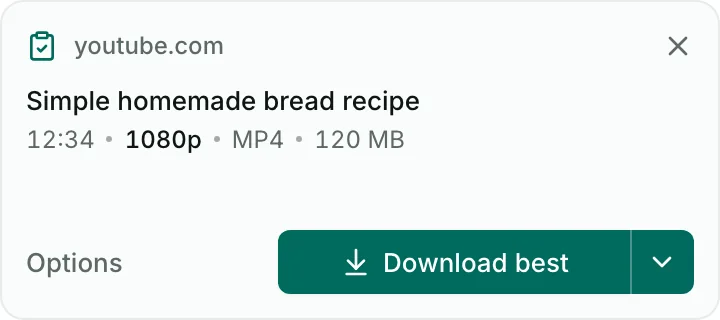
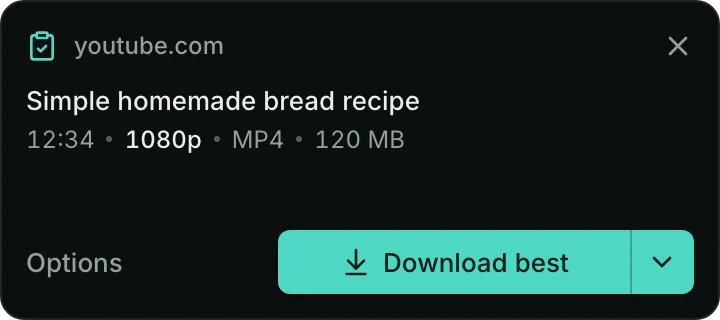
Copy a link and a small card appears: Download best, or Options. Nothing starts until you choose
Nezzel isn’t signed by Microsoft, so Windows warns you the first time you run it. That’s expected: you only need to allow it once.
Run the installer
Open the file you downloaded: Nezzel_*_x64-setup.exe, or Nezzel_*_arm64-setup.exe on Windows on ARM. A blue screen may appear: “Windows protected your PC”
Windows protected your PCMicrosoft Defender SmartScreen prevented an unrecognized app from starting. Running this app might put your PC at risk.
More infoDon’t runIllustration Click “More info”, then “Run anyway”
Then finish the install. You usually won’t see the screen again for this version
Windows protected your PCMicrosoft Defender SmartScreen prevented an unrecognized app from starting. Running this app might put your PC at risk.
- App:
- Nezzel_0.1.1_x64-setup.exe
- Publisher:
- Unknown publisher
Run anywayDon’t runIllustration. On Windows on ARM the file is Nezzel_0.1.1_arm64-setup.exe Copy your first link
Copy a link and a small card appears: Download best, or Options. Nothing starts until you choose
.deb package
For Ubuntu, Debian and Mint: open it in your package manager, or use the terminal
$ sudo apt install ./Nezzel_*.deb.rpm package
For Fedora and openSUSE: open it in your package manager, or use the terminal
$ sudo dnf install ./Nezzel-*.rpmAppImage
For any distribution: make the file executable, then run it
$ chmod +x Nezzel_*.AppImage$ ./Nezzel_*.AppImageCopy your first link
Copy a link and a small card appears: Download best, or Options. Nothing starts until you choose
Your files land in Downloads/Nezzel
Or in any folder you choose. Removing an item from the list never deletes the file.

All files
Version 0.1.1 · All releases
LinuxYour device
Needs glibc 2.35 or newer